Text messages
SMS updates are optional.
CeGo Tech LLC only texts customers who choose to opt in. You can request service, get a quote and pay your bill without ever agreeing to receive text messages.
How to opt in
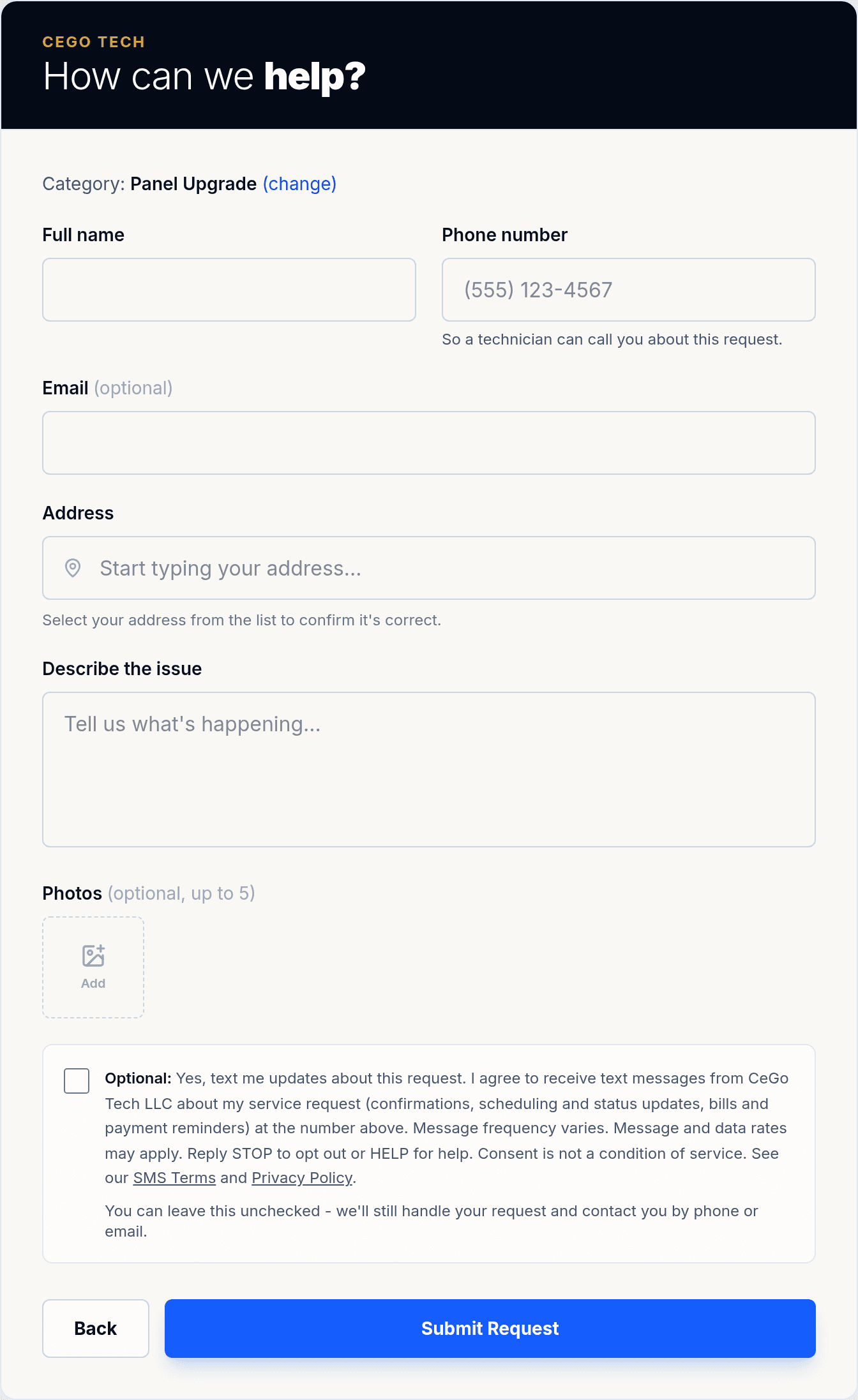
- Open our service request form at cegotech.com/request-service.
- Pick the service you need, then continue to the contact form.
- Fill in your details. Your phone number is used so a technician can call you.
- Below the form is a separate checkbox, unchecked by default, labeled "Optional". Tick it only if you want text updates. Leave it unchecked and your request is still handled in full - we'll contact you by phone or email.
The exact opt-in wording
Optional: Yes, text me updates about this request. I agree to receive text messages from CeGo Tech LLC about my service request (confirmations, scheduling and status updates, bills and payment reminders) at the number above. Message frequency varies. Message and data rates may apply. Reply STOP to opt out or HELP for help. Consent is not a condition of service. See our SMS Terms and Privacy Policy.
What we text (if you opt in)
- Confirmation that we received your service request, with a link to track it
- Scheduling and status updates (scheduled, in progress, completed)
- Your bill when it's ready, payment receipts and payment reminders
- Maintenance-plan reminders, if you have a plan with us
Message frequency varies with your request. Message and data rates may apply. Reply STOP to any message to opt out at any time, or HELP for help. You can also reach us at +1 (609) 477-3983 or cegotech@gmail.com. We never sell or share your number or opt-in data for marketing.